The VPN Paradox: Why Personal Encryption is Your BYOD Framework’s Biggest Blind Spot
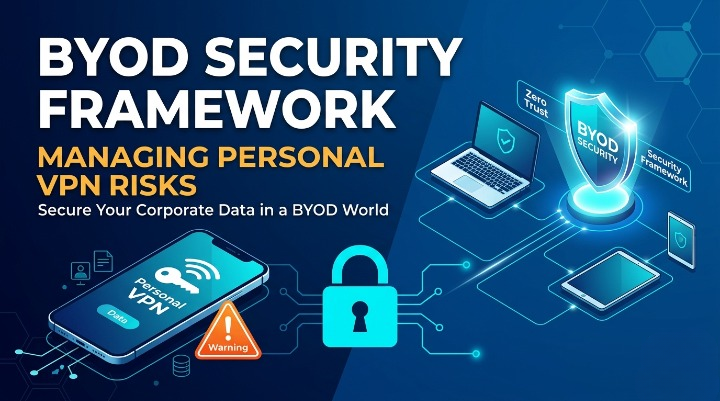
The “Bring Your Own Device” (BYOD) revolution was supposed to be a win-win: companies save on hardware, and employees get the comfort of their own tech. But as the traditional office perimeter dissolved, a new, quieter threat emerged.
Employees are now logging into sensitive corporate databases while running personal, third-party VPNs. To the user, it’s a privacy win. To the CISO, it’s a total blackout. When your employees use personal VPNs, they aren’t just securing their data; they are effectively “cloaking” their activity from the very security protocols meant to protect the organization.
Here is how to build a BYOD framework that handles the personal VPN era without compromising security or employee trust.
The Visibility Gap: Why We Can’t Just Ignore It
A personal VPN creates an encrypted tunnel between the employee’s device and a third-party server. The problem? Your corporate security stack – your firewalls, your intrusion detection systems, and your traffic analytics – cannot see inside that tunnel.
If a device is compromised, a personal VPN acts as a “silent highway” for malware. It bypasses your DNS filtering and allows lateral movement across your network without leaving a trace in your logs. You aren’t just losing control; you’re losing sight.
The Framework: Security Beyond the Tunnel
To manage this, your security framework needs to shift from Network-Centric to Identity and App-Centric.
1. Contextual Access & Zero Trust
Don’t trust the connection just because the password is correct. Your framework should use Conditional Access. If a device is running an unapproved VPN or is connecting from a suspicious “anonymized” IP address (common with personal VPNs), the system should automatically step up authentication or deny access to high-risk data.
2. Containerization (MAM vs. MDM)
Instead of trying to control the whole phone, control the data. Through Mobile Application Management (MAM), you can create a “secure bubble” for work apps. Even if a personal VPN is running on the device, the data inside the work apps remains encrypted by the company and subject to company-only policies.
3. The “Managed Tunnel” Strategy
If security is the concern, don’t just block. Provide a better alternative. By implementing Per-App VPNs, you ensure that only corporate traffic goes through a secure, monitored channel, while the employee’s personal Netflix or banking traffic stays on their own time. This respects privacy while ensuring business compliance.
The Human Element: Policy over Policing
You cannot solve a technical habit with only technical blocks. Your BYOD policy must be explicit:
- Define the Boundary: Clearly state that personal VPNs must be toggled off during work sessions.
- Transparency: Explain why. Employees often use VPNs because they fear the company is spying on their personal life. If you explain that your visibility is limited only to work-related data, compliance will skyrocket.
Expert Insights: FAQs
Q: Can’t we just block all known VPN IP addresses?
Technically, yes. But it’s a game of whack-a-mole. New VPN servers pop up daily. A better approach is Device Compliance – checking if a VPN app is active on the device before allowing the “Handshake” with your server.
Q: Does split-tunneling compromise security?
Actually, it enhances it in a BYOD environment. It allows you to direct business traffic through your secure filters while letting personal traffic bypass them. This reduces the load on your servers and respects employee privacy.
Q: Is “Zero Trust” just a buzzword in this context?
Not at all. In the world of personal VPNs, Zero Trust is the only solution. It assumes the network is already compromised or hidden and focuses entirely on verifying the User, the Device, and the Permission level.
Q: What is the biggest mistake companies make with BYOD?
Trying to treat a personal phone like a company-owned laptop. If you over-reach, employees will find workarounds. The goal is to secure the data, not the hardware.
Loading newsletter form...